Threads Circle Generator
Find out who your biggest fans are on Threads. This free Threads circle maker analyzes your recent posts and shows your top commenters on Threads — your real community, visualized.
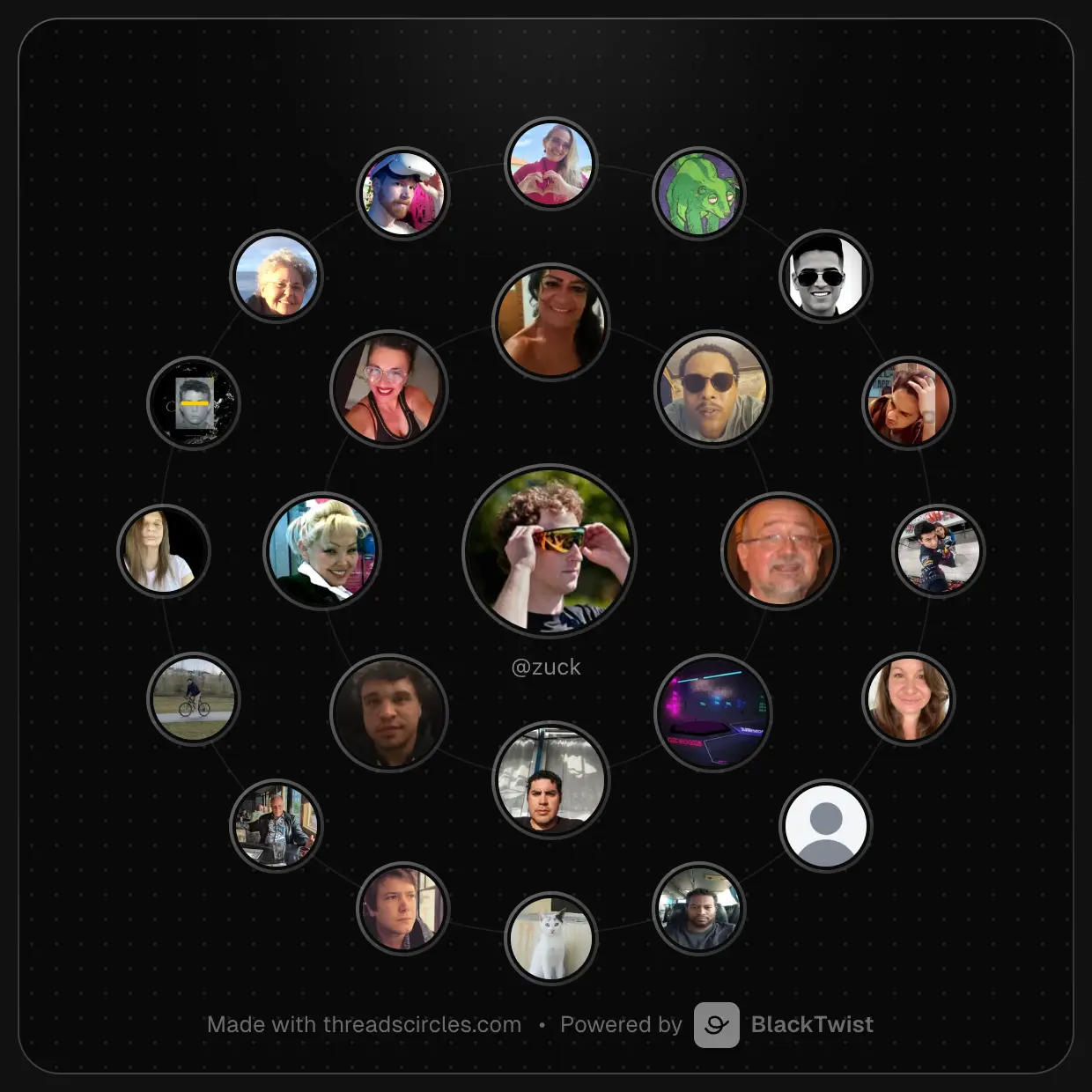
You just found your biggest fans.
Turn them into real growth. Schedule posts, auto-reply to comments, and track what's working on Threads — free, no credit card required.
Grow My Threads for FreeShare this tool
Your Threads growth starts here.
Schedule smarter. Grow faster. Start free.
Get started for freeJoin 4,000+ creators and small companies
Frequently Asked Questions
What is a Threads Circle?
A Threads Circle is a visual representation of the people who interact with your Threads account the most. It arranges your top commenters and repliers in concentric rings around your profile picture — the inner ring shows your closest community members, and the outer ring shows the next tier of frequent interactors.
How does the Threads Circle Generator work?
Enter any public Threads handle and we scan recent posts to identify who replies and comments the most. We rank every interactor by frequency and generate a shareable image with the top ones placed in rings. The whole process takes just a few seconds.
Is the Threads Circle Generator free?
Yes, completely free. No login, no account, no hidden fees. You can generate as many circles as you want — for your own account or anyone else's.
Do I need to log in or connect my account?
No. Just type a Threads handle and your circle is generated instantly. We don't require any login, OAuth connection, or permissions. Your data stays yours.
Can I generate a circle for someone else's account?
Yes. Enter any public Threads handle — it doesn't have to be your own. This is useful for audience research, discovering who engages with a competitor, or generating a circle as a surprise for a friend.
What data do you analyze to build the circle?
We look at recent posts on the account and count the replies and comments from other users. The more often someone interacts, the closer they appear to the center. We don't access DMs, likes from other accounts, or any private data.
What's the difference between the inner ring and the outer ring?
The inner ring (5–8 people) represents your most frequent interactors — the core of your community. The outer ring (up to 16 people) shows the next tier of regular commenters. Together, they paint a picture of who your real audience is beyond follower counts.
How can I share my Threads Circle?
After generating your circle, you can download it as a PNG, copy it to your clipboard, use the native share menu on your device, or share it directly on Threads with a pre-filled post. Many creators tag their top interactors to publicly thank them.
How often should I generate my circle?
There's no limit. Some creators generate it weekly to track who's most active, others do it monthly or after a particularly viral post. It's a great way to see how your community evolves over time.
How accurate is the Threads Circle?
The circle is based on publicly available replies and comments on your recent posts. It reflects real interaction data, not estimates. However, it only captures public interactions — private messages, likes, and story replies are not included in the analysis.
How many posts does the tool analyze?
We analyze your most recent posts to get a representative snapshot of your current community. The exact number depends on account activity, but it's typically your latest posts within recent weeks. More active accounts produce more accurate circles.
Is my data stored or shared?
No. We don't store your circle data, profile information, or interactor lists on our servers. The analysis happens in real time and the results are only visible to you. We don't share any data with third parties.
Does it work with private accounts?
No. The Threads Circle Generator only works with public accounts. If an account is set to private, we cannot access its posts or replies. The account owner would need to make their profile public for the tool to work.
Is there a limit on how many circles I can generate?
You can generate multiple circles per day for free. We do have rate limits in place to prevent abuse, but normal usage is not affected. If you hit a limit, simply wait a few minutes and try again.
Why are some people missing from my circle?
The circle shows interactors ranked by comment and reply frequency. People who primarily interact through likes, shares, or story replies won't appear since those interactions are not publicly accessible. Also, very new interactors may not appear if they haven't commented enough within the analyzed timeframe.
Can I customize the circle image?
Currently the circle is generated with a standard design that adapts to light and dark mode. You can download it as a PNG and edit it further in any image editor if you want to customize colors or add text before sharing.